Edit your account and profile

Table of Contents
You can update your Change.org profile information at any time from your account settings. This includes your name, photo, bio, and contact details.
How to access your Change.org account settings
Go to Change.org and log in to your account.

Click on your profile icon in the top-right corner of the screen to open the user menu.

Select Settings from the dropdown menu. You will be redirected to the Account Settings page.
Edit your profile information
On the Profile & preferences page, select Manage Signatures, Petitions, Account to open Manage Assets.
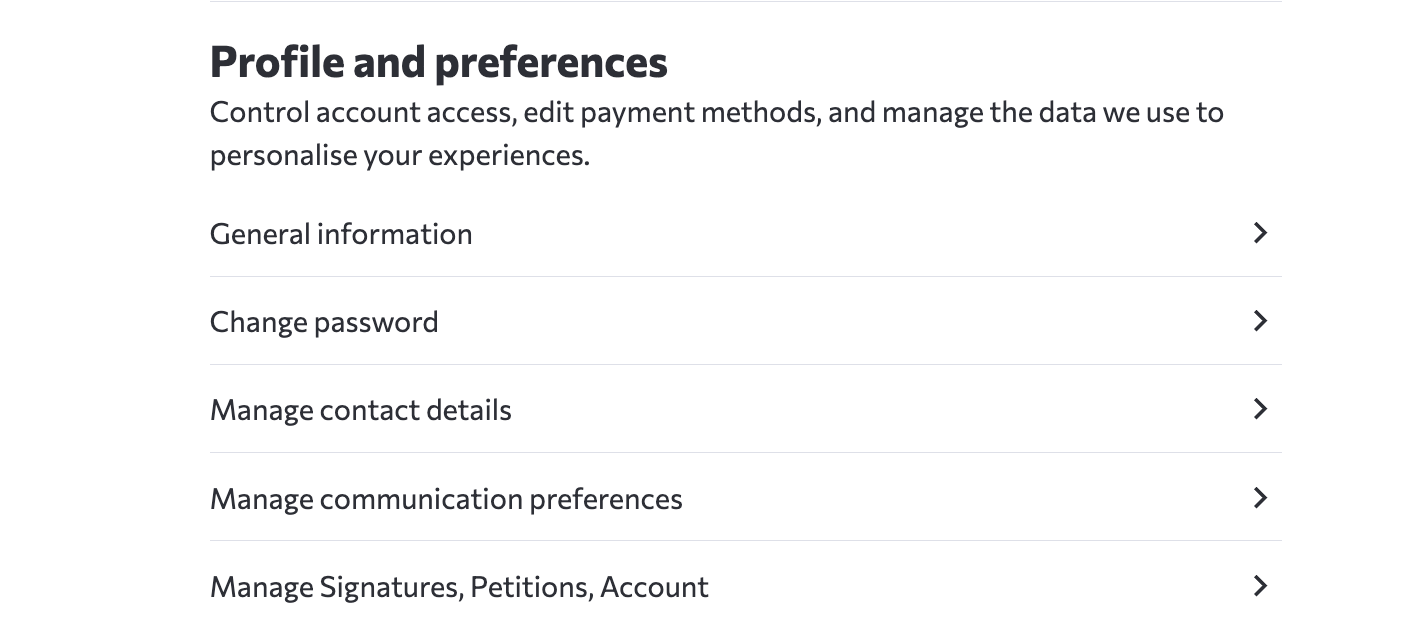
To edit your profile details:
Click on General information to open the profile editing page.
-
On the Edit profile page, you can update the following fields:
First name and Last name
About me - Add a short description about yourself
City and Country
X (Twitter) username
Profile shortcut - Create a custom link to your public profile
Profile Photo - Change/add a profile photo the ‘Upload Photo’ button, or remove the current one using the ‘Remove’ button.

After making your changes, scroll down and click the Save button to update your profile.
Private info settings
The Private info section in your Change.org profile settings allows you to add additional personal information that is kept separate from your public profile. You can update the following private fields:
● Street Address - Your residential street address
● Zip Code - Your postal or zip code
● Language - Your preferred language for Change.org communications
● Mobile Phone Number - Your mobile phone number for account-related notifications
Do note that your Postal/Zip code may be visible on petition signature lists. Apart from that, this information is not displayed publicly on your Change.org profile and is kept confidential.
Change your email address on Change.org
To change the email address associated with your Change.org account:
Go to your Account Settings
Click on Manage contact details
Follow the prompts to add or update your email address
You can also access email management here. Note that you can have multiple email addresses on Change.org.
Need help with your email address?
If you encounter any issues changing your email address, contact Change.org support for assistance.
Other account settings
From the Account Settings page, you can also:
● Change password - Update your login password
● Manage communication preferences - Control which emails you receive from Change.org
● Manage Signatures, Petitions, Account - Open Manage Assets to manage petitions you have signed or started. To remove your signature from a petition you signed, select Unsign. For instructions, see Removing your signature from a petition. Deletion requests for petitions with 1,000 or more signatures or petitions selected for promotion show as Under Review while staff process them. You retain edit access during the review.
● Manage cookies - Adjust your cookie preferences
● Manage Signatures, Petitions, Account - Open Manage Assets, where you can disable your account reversibly or permanently delete your account and personal data. Permanent deletion cannot be undone.
For the deletion steps, see Permanently deleting your Change.org account.
For more information about managing your email preferences, see Manage email preferences and unsubscribe.
Frequently Asked Questions
How do I update my profile photo on Change.org?
To update your profile photo, go to Account Settings and click General information. You can change your display photo from this page by using the ‘Upload Photo’ button, or remove the current one using the ‘Remove’ button.
I changed my email but still receive emails at my old address - what should I do?
If you are still receiving emails at your old address after updating your email in Manage contact details, contact Change.org support for assistance.
Can I use a different name for my Change.org profile than my legal name?
Yes, Change.org allows you to use pseudonyms, stage names, or pen names. However, you cannot create false identities or use multiple accounts to sign the same petition. For more details, see Real name requirements.