Removing your signature from a petition

Table of Contents
You can remove your signature from a Change.org petition if you signed by mistake or changed your mind. If you can log in, you can remove an individual signature at any time from Manage Assets. You can also use the removal link in your confirmation email, or contact support if neither option works.
Method 1: Use Manage Assets
If you can log in to your account, you can remove an individual signature at any time from Manage Assets.
Log in to your Change.org account.
Open Settings.
-
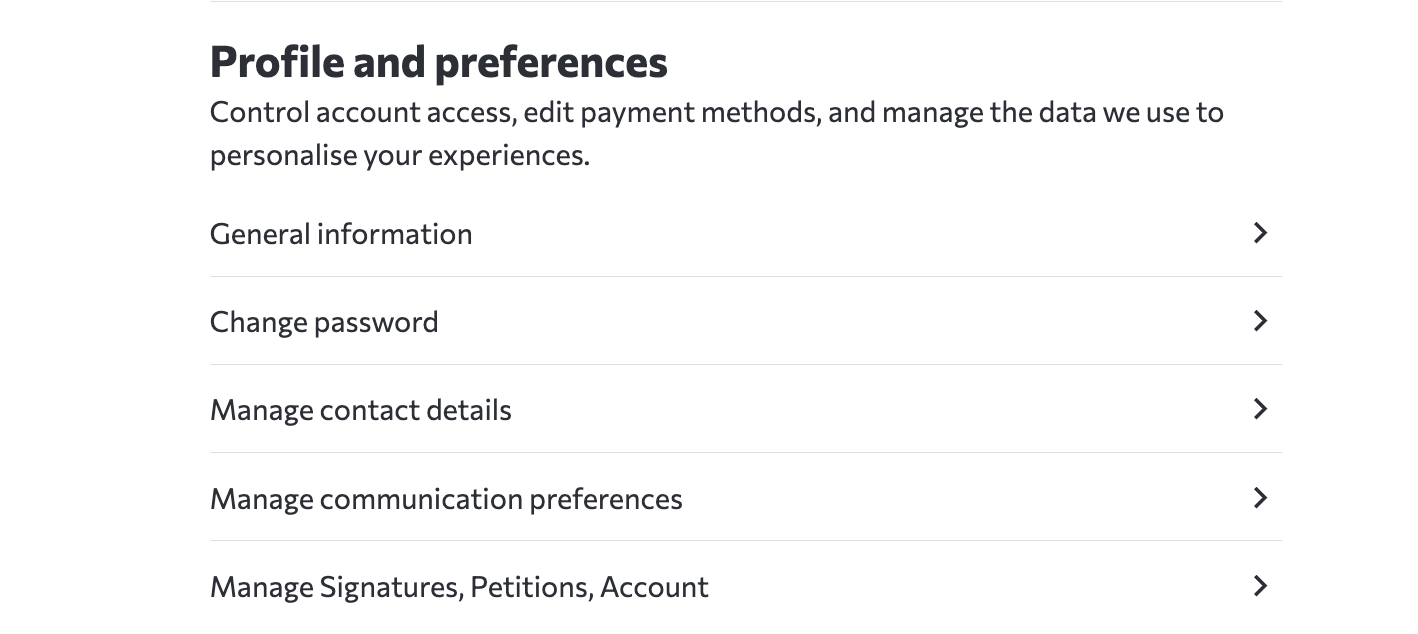
Under Profile and preferences, select Manage Signatures, Petitions, Account.
-
In Manage Assets, find the petition under Signed Petitions.
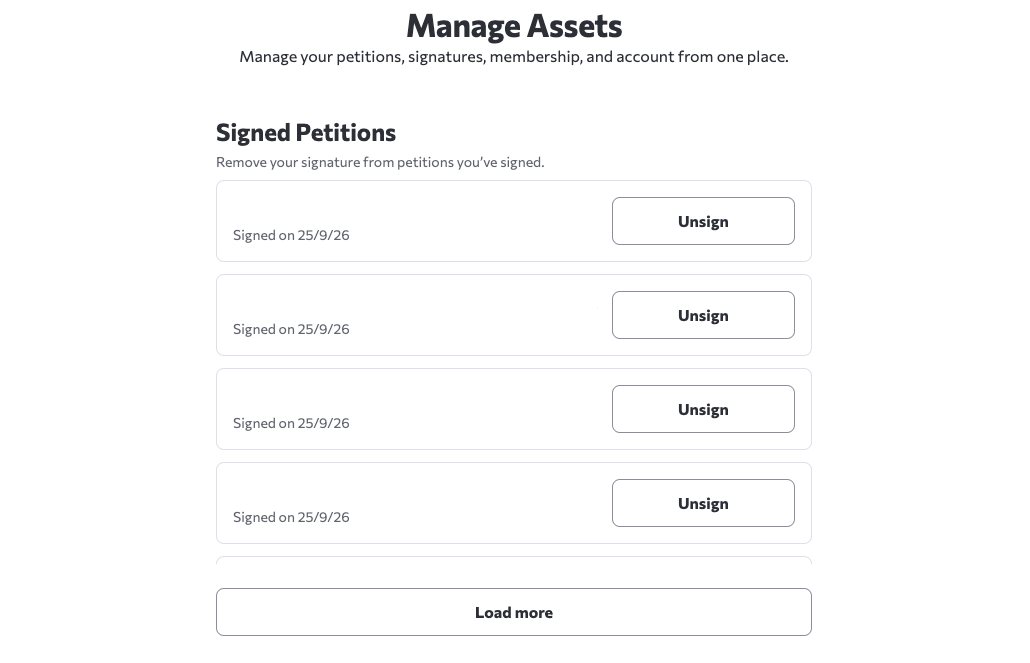
Select Unsign next to the petition.
Method 2: Use the removal link in your email
As an alternative to Manage Assets, you can use the removal link in an email from Change.org. The email you receive depends on your situation. If you were not logged in and Change.org needs to confirm your email address, you will receive a "Confirm Your Signature" email
Both types of emails contain a "Remove Signature" or "Remove your signature" link that you can use to remove your signature from the petition.
To remove your signature using the email link:
Check your email inbox for the email from Change.org (look for "Confirm Your Signature" if you weren't logged in, or check recent Change.org emails)
Open the email and look for the "Remove your signature" link
Click the link to remove your signature
Your name will no longer appear on the petition
Important: The removal link in the email remains active for 30 days after you sign. After 30 days, you'll need to use Method 1.
Troubleshooting removal issues
The removal link shows an error message
If the email link shows an error, open Manage Assets, find the petition under Signed Petitions, and select Unsign. If that also fails, contact support.
I can't find the email with the removal link
You do not need the email if you can log in. Open Manage Assets, find the petition under Signed Petitions, and select Unsign. If you prefer the email-link method, check your spam or junk folder for emails from Change.org. Also check your deleted emails in case the email was deleted. If you were not logged in when you signed, look for a confirmation email. If you were logged in, check other recent emails from Change.org as they will also contain a removal link. If neither Manage Assets nor the email-link method works, contact support
I don't remember the petition URL or name
Try to provide any identifying details about the petition, such as:
● What the petition was about (the topic or issue)
● Who the petition was addressed to (the decision maker)
● When you signed it (approximate date)
If you still need support, these details can help locate the petition and your signature. To review the petitions you have signed in Manage Assets:
Log in to your Change.org account and open Account Settings.
Under Profile and preferences, select Manage Signatures, Petitions, Account.
Review the Signed Petitions list in Manage Assets.
Support can't find my email address
If support cannot find your account under the email address you used to contact them, make sure to provide the exact email address you used when signing the petition. This may be different from your current email.
Making your signature anonymous instead
If you want to keep supporting the petition but hide your name, you can remove your signature and then sign again with the privacy option selected.
To make your signature anonymous:
Remove your signature using one of the methods above
Return to the petition page
Uncheck the box that says “Display my name and comment on this petition”
Click “Sign” again to complete signing the petition
Your signature will count toward the petition total, but your name will not appear publicly. Alternatively, you can also choose to change your display name on Change.org. To do this, look up our article on Editing your profile.
Frequently Asked Questions
Why isn't there a button on the petition page to remove my signature?
The removal control is in the Signed Petitions section of Manage Assets, rather than on the petition page. Find the petition and select Unsign. You can also use an active email removal link, or contact support if neither option works.
Can I remove my signature from a closed petition?
Yes. contact support with the petition URL. Support can remove signatures from closed petitions.You can revoke your signature from a closed petition as well. If you can log in, use Manage Assets regardless of when you signed. You can also use an active email removal link. If neither route works, contact support with the petition URL.